


Product highlights

Sensors at both ends
Step-by-step sequence

Smooth illumination

Adjustable brightness
Kit configurations

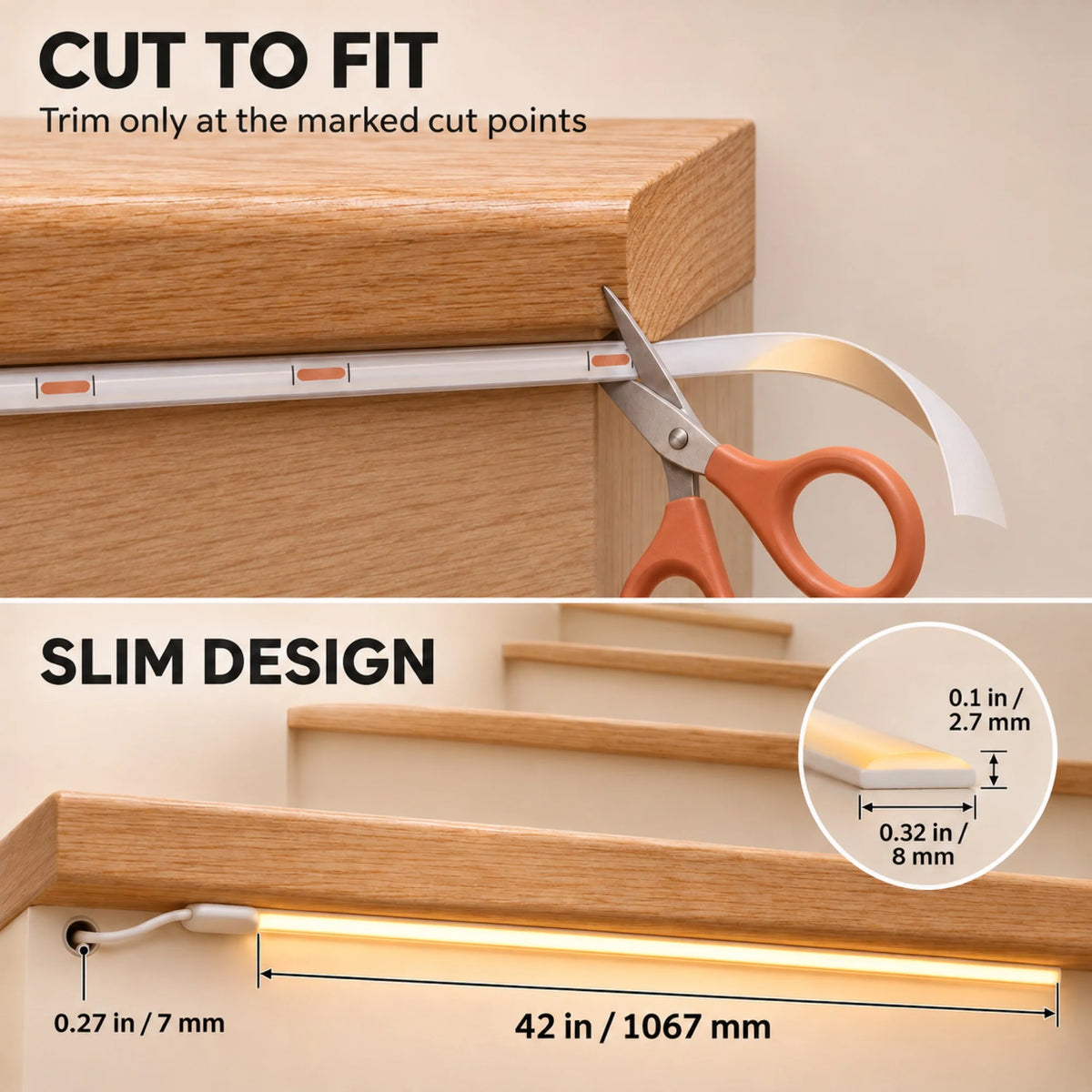
Trim at marked points
Set the number of active steps

Set how long lights stay on

Customize the lighting sequence

Set brightness and schedules

Switch modes or dim

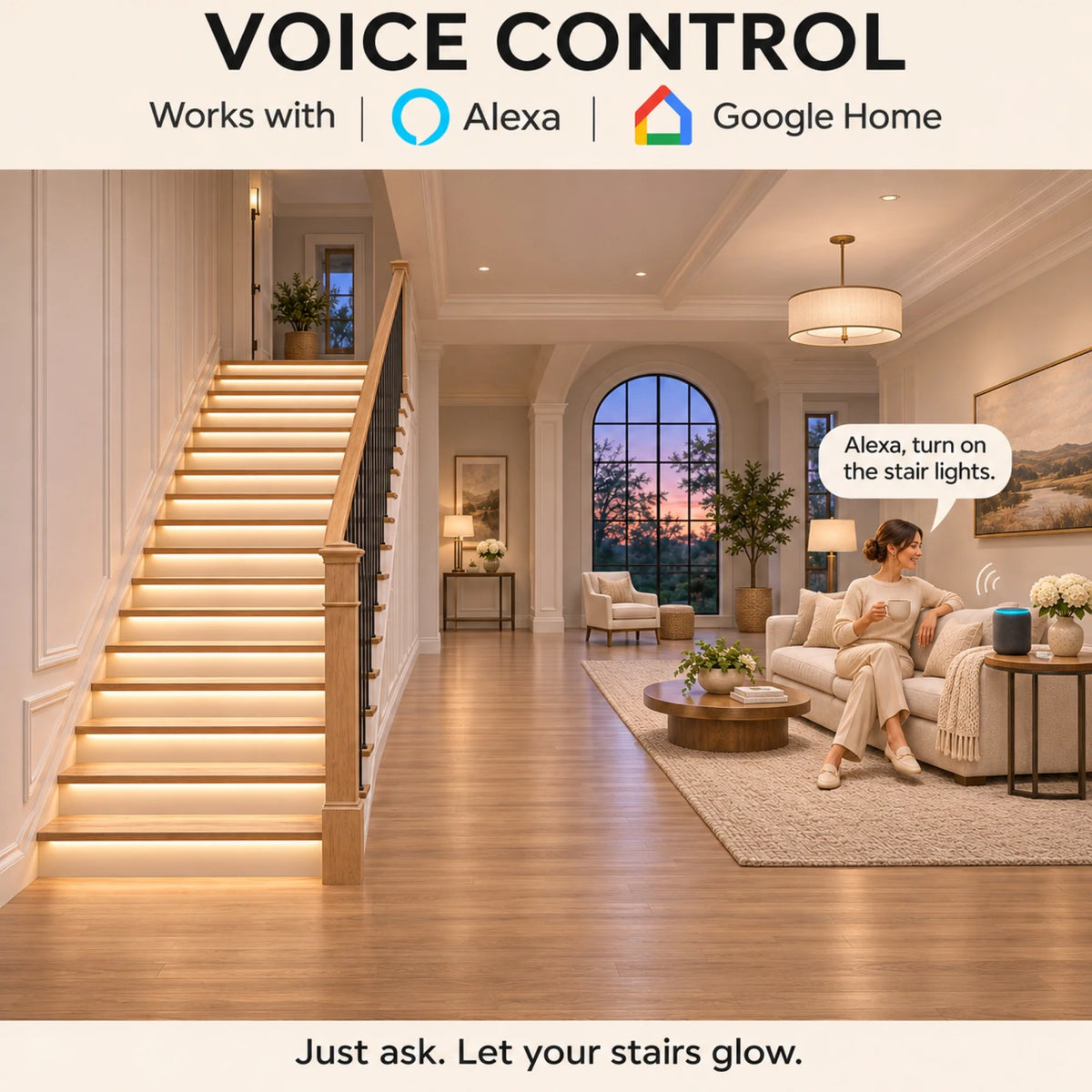
Alexa and Google Home
Product highlights
Sensors at both ends
Step-by-step sequence
Smooth illumination
Adjustable brightness
Kit configurations
Trim at marked points
Set the number of active steps
Set how long lights stay on
Customize the lighting sequence
Set brightness and schedules
Switch modes or dim
Alexa and Google Home
RW-32S Smart LED Stair Light Kit
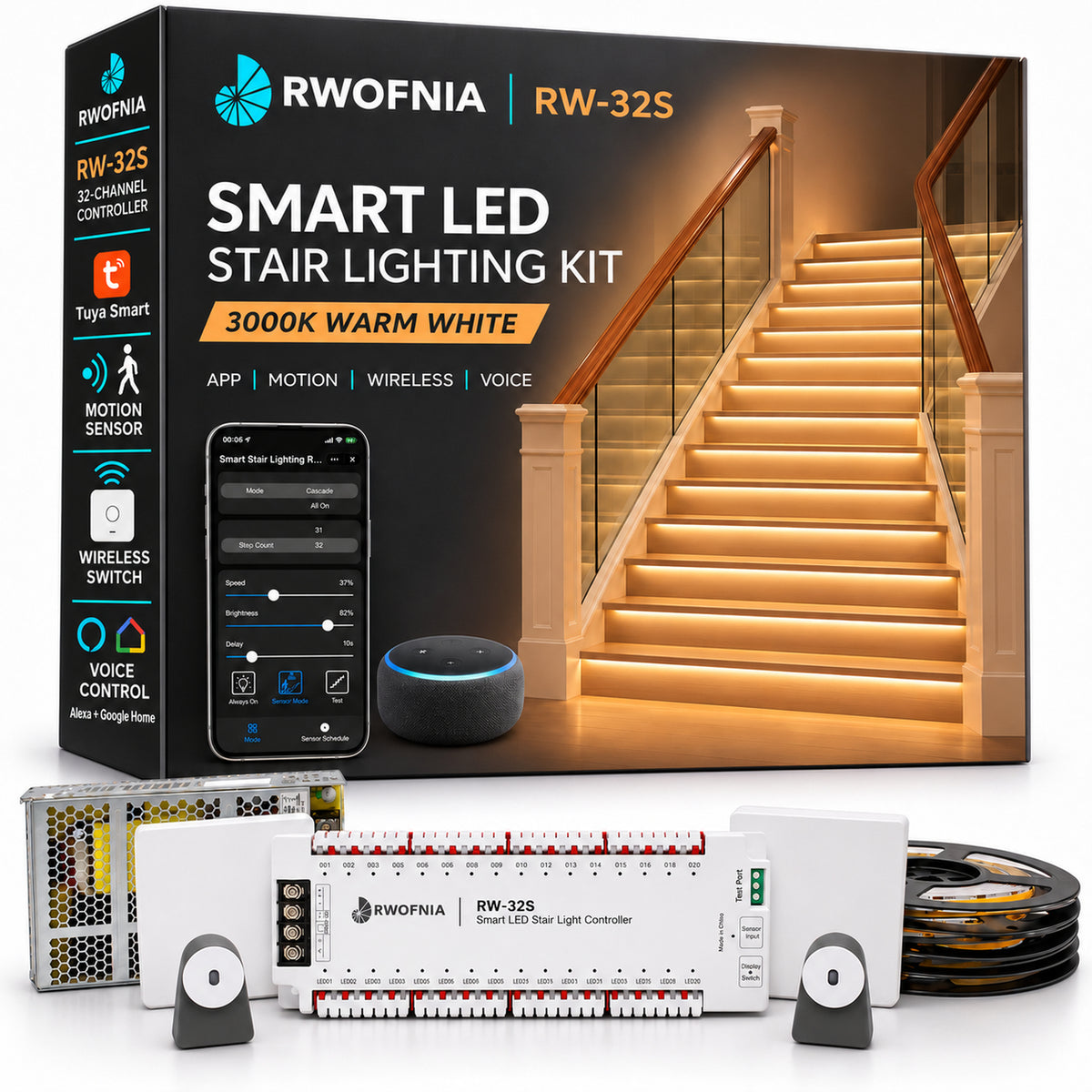
Let your stairs light up as you approach. Motion sensors at both ends trigger a step-by-step cascade or light all steps together. Adjust brightness, speed and shutoff delay in Tuya Smart, or use the included wireless wall switches and compatible voice assistants.
Choose a kit for 8–32 steps, with 42-, 48- or 60-inch COB strips in 3000K warm white, 4000K neutral white or 6000K cool white.
Pairs well with
Free shipping on all products
Need help choosing? Contact KOMIGAN.
2-Year Warranty
Kit contents matched to your selected step count
RW-32S Smart LED Stair Light Kit
Need help choosing the RW-32S? Tell us your step count, tread width and preferred light color. We can help you choose a kit and plan app setup.
-
Shipping Information
Free shipping on all products. Check our Shipping Policy for delivery details and contact sales@komigan.com if you have questions about your destination or order.
-
Customer Support
For help with RW-32S installation or Tuya Smart setup, email sales@komigan.com with your step count, tread width and order number if available. Test the complete kit before permanent mounting.
-
FAQ’s
Choose 8 to 32 steps, a 42-, 48- or 60-inch strip and your preferred white-light temperature. Use Tuya Smart to adjust brightness, sequence speed, shutoff delay and motion schedules.
-
Contact Us
Email sales@komigan.com or use the contact form on this page. For installation questions, include your controller model and a brief description of your staircase.
Light that welcomes you.
Motion at either end.
A cascade, step by step.
Set the pace. Set the mood.
Designed around your staircase
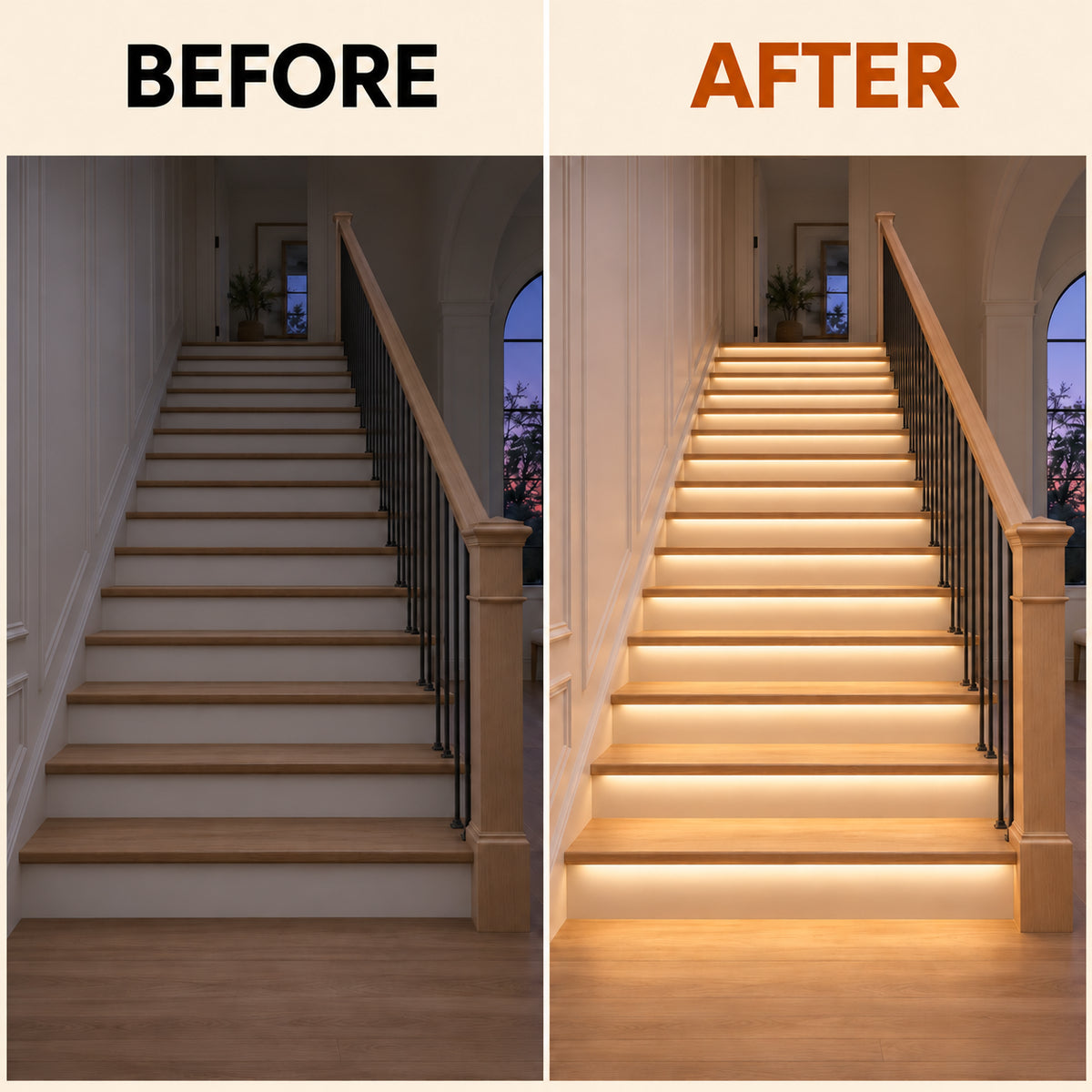
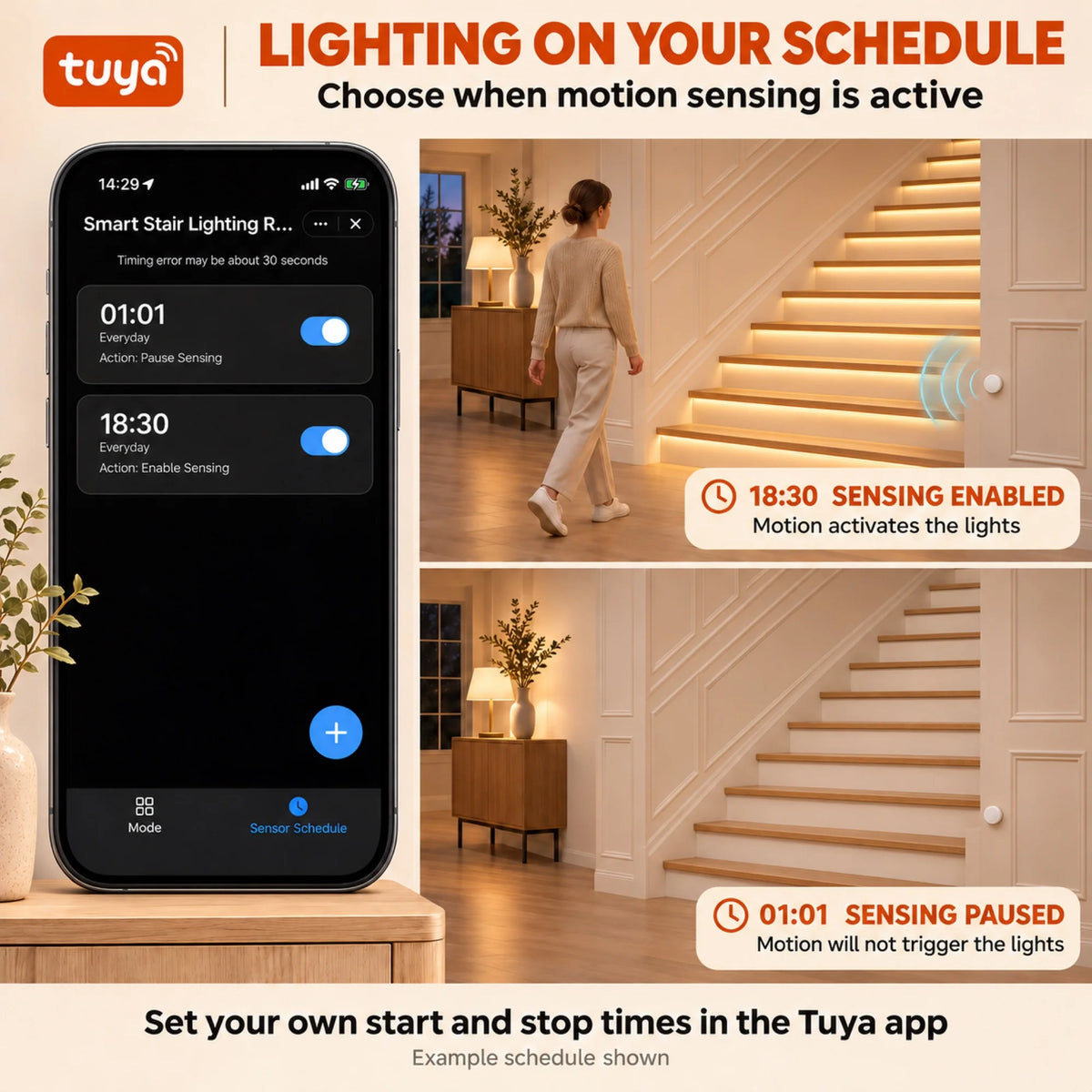
See the difference stair lighting makes after dark, then explore how Tuya Smart can schedule when motion sensing is active.
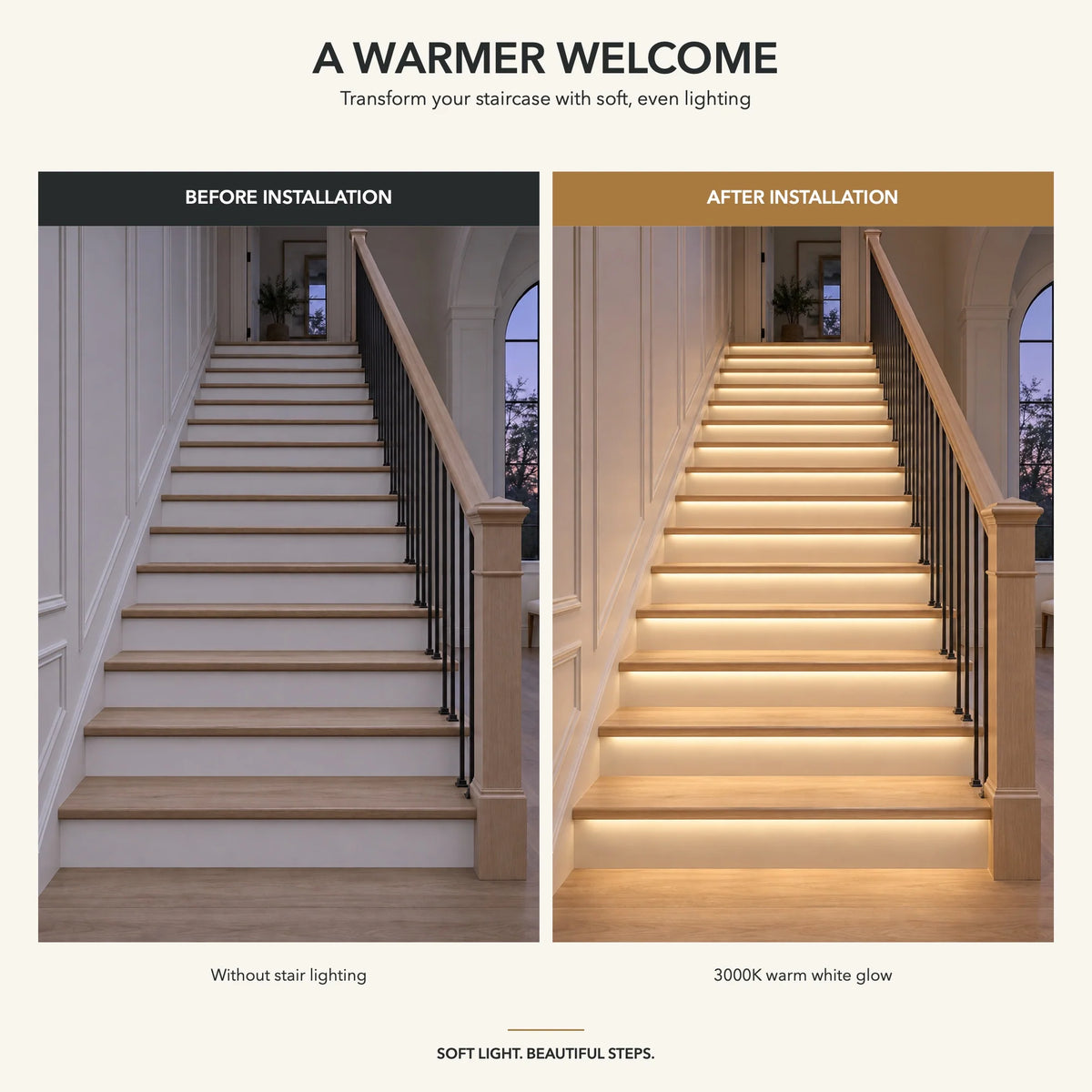
Motion lights the way
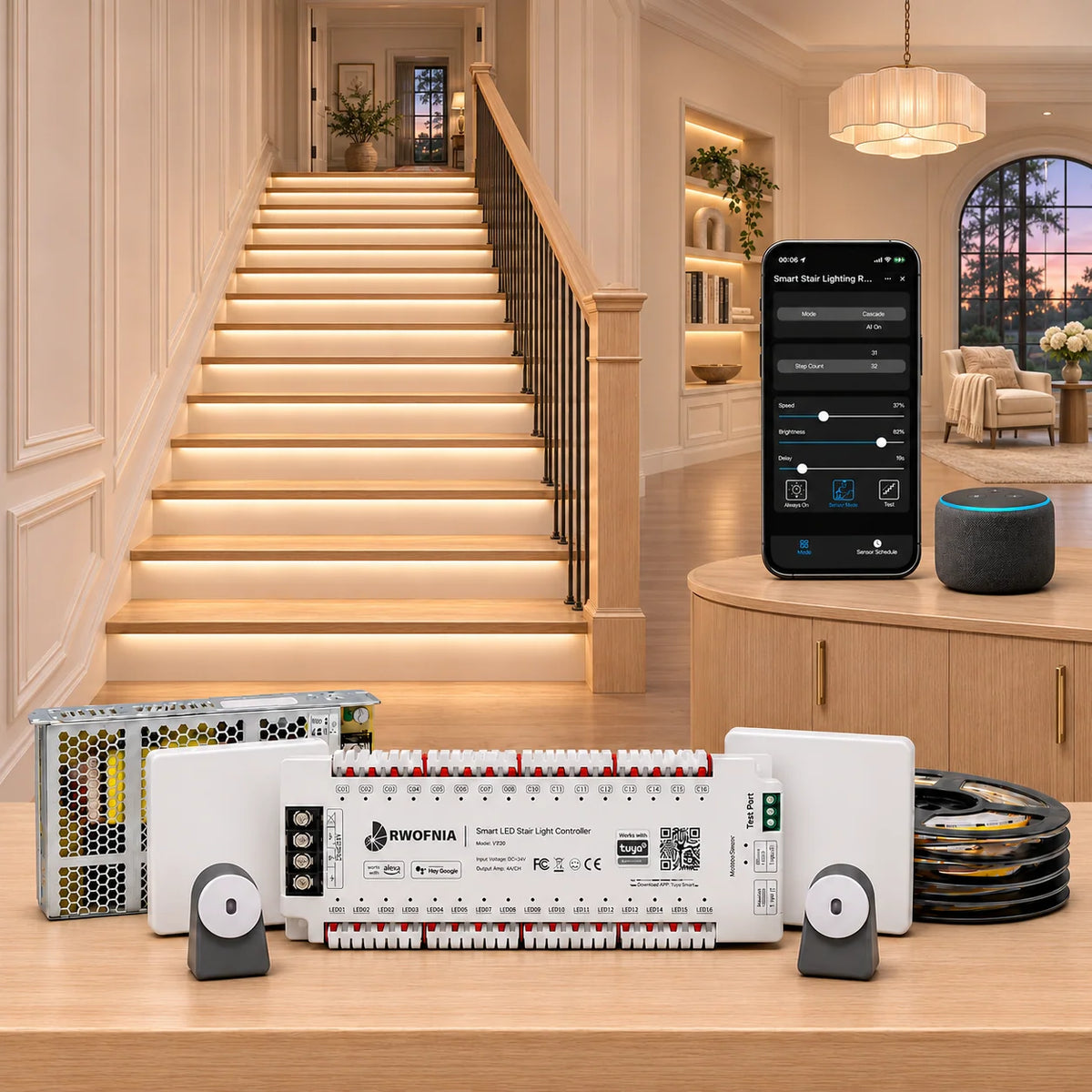
Approach from either end and the two motion sensors bring the staircase into view. Choose a step-by-step cascade or light all steps together. Set the sequence speed, brightness and shutoff delay to suit the way you use your stairs.
Free shipping on all products
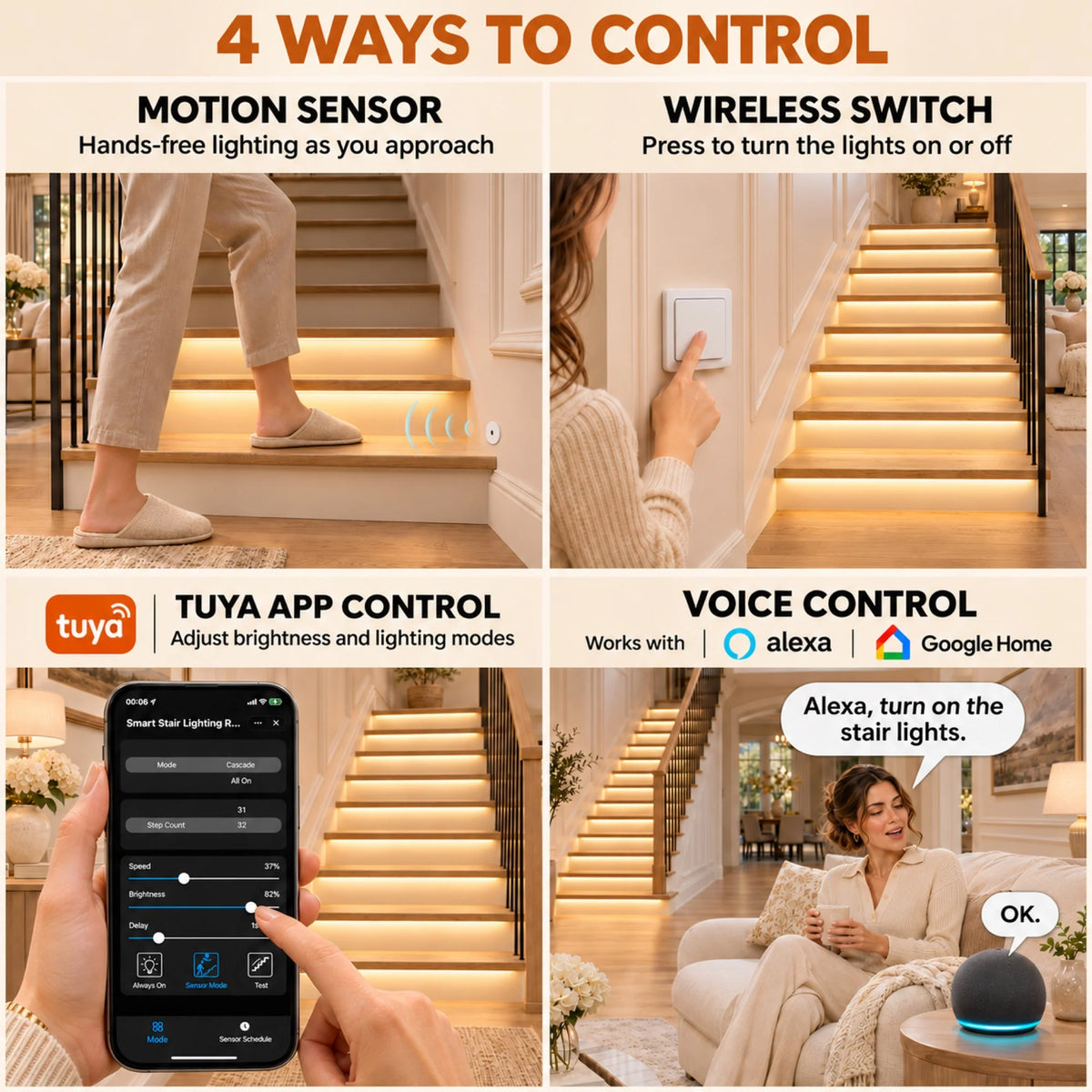
Four ways to control your lights
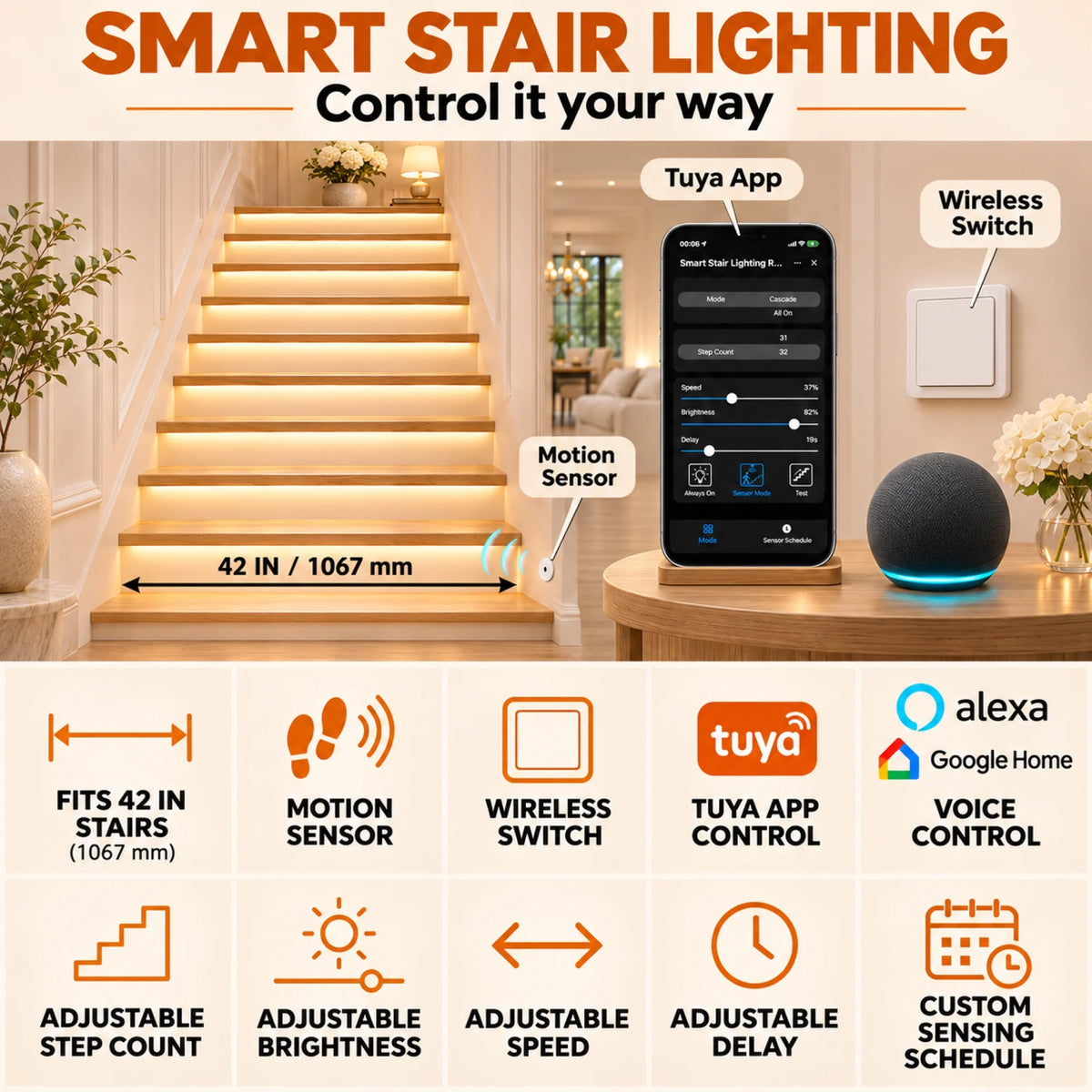
Let the motion sensors take over, make adjustments in Tuya Smart, tap an included wireless wall switch or use a compatible voice assistant. Set schedules in the app so motion sensing is active at the times you choose.
Product details
Choose your kit
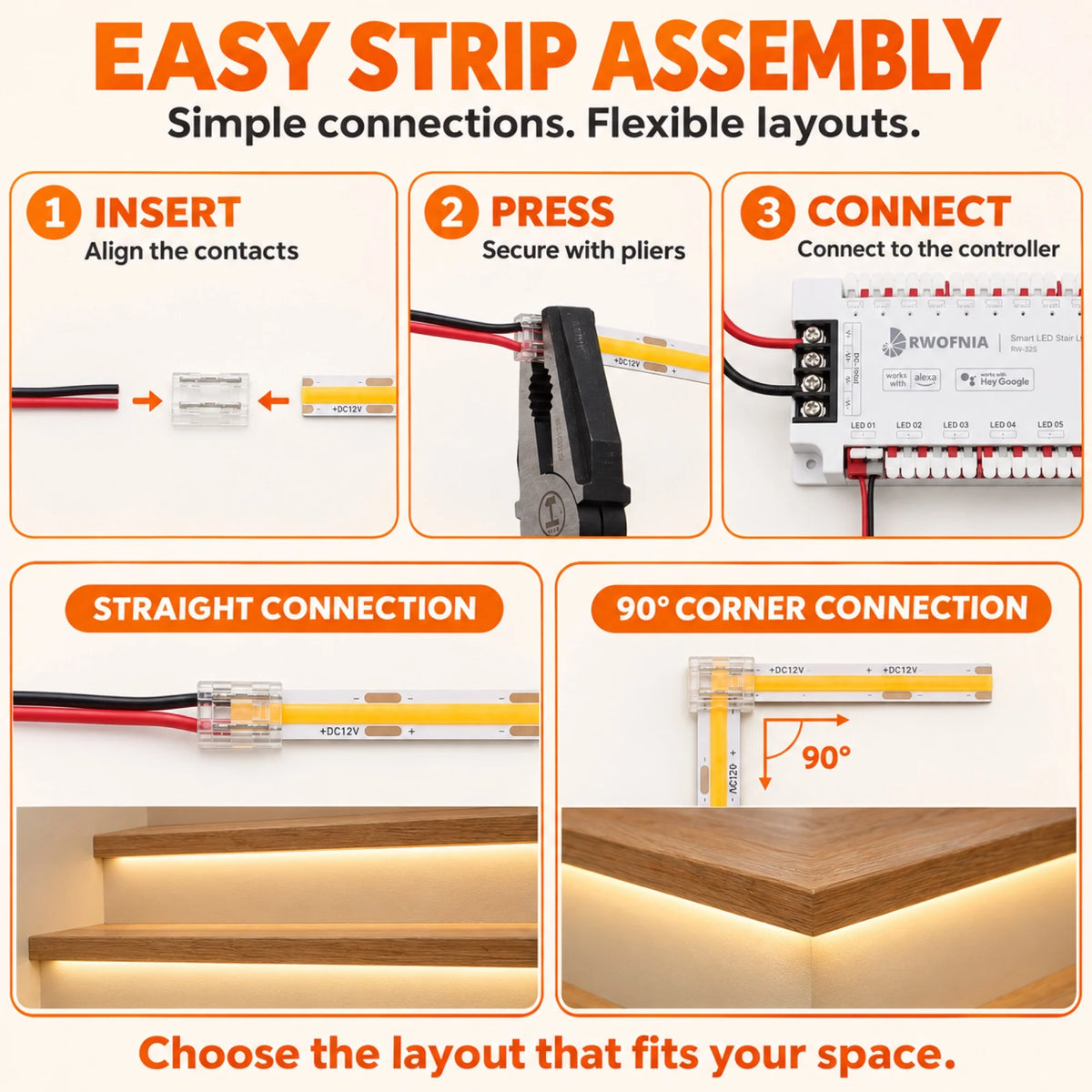
Choose a kit for 8 to 32 steps. Measure the lit width of your treads, then choose 42-, 48- or 60-inch COB strips and warm white (3000K), neutral white (4000K) or cool white (6000K). Trim strips only at the marked solder pads.
Lighting modes and adjustment
Motion sensors at both ends can trigger a step-by-step cascade or light all steps together. In Tuya Smart, adjust brightness, sequence speed and shutoff delay, or schedule when motion sensing is active. Use the wireless wall switches for manual control or pair a compatible Alexa or Google Assistant device.
What is included
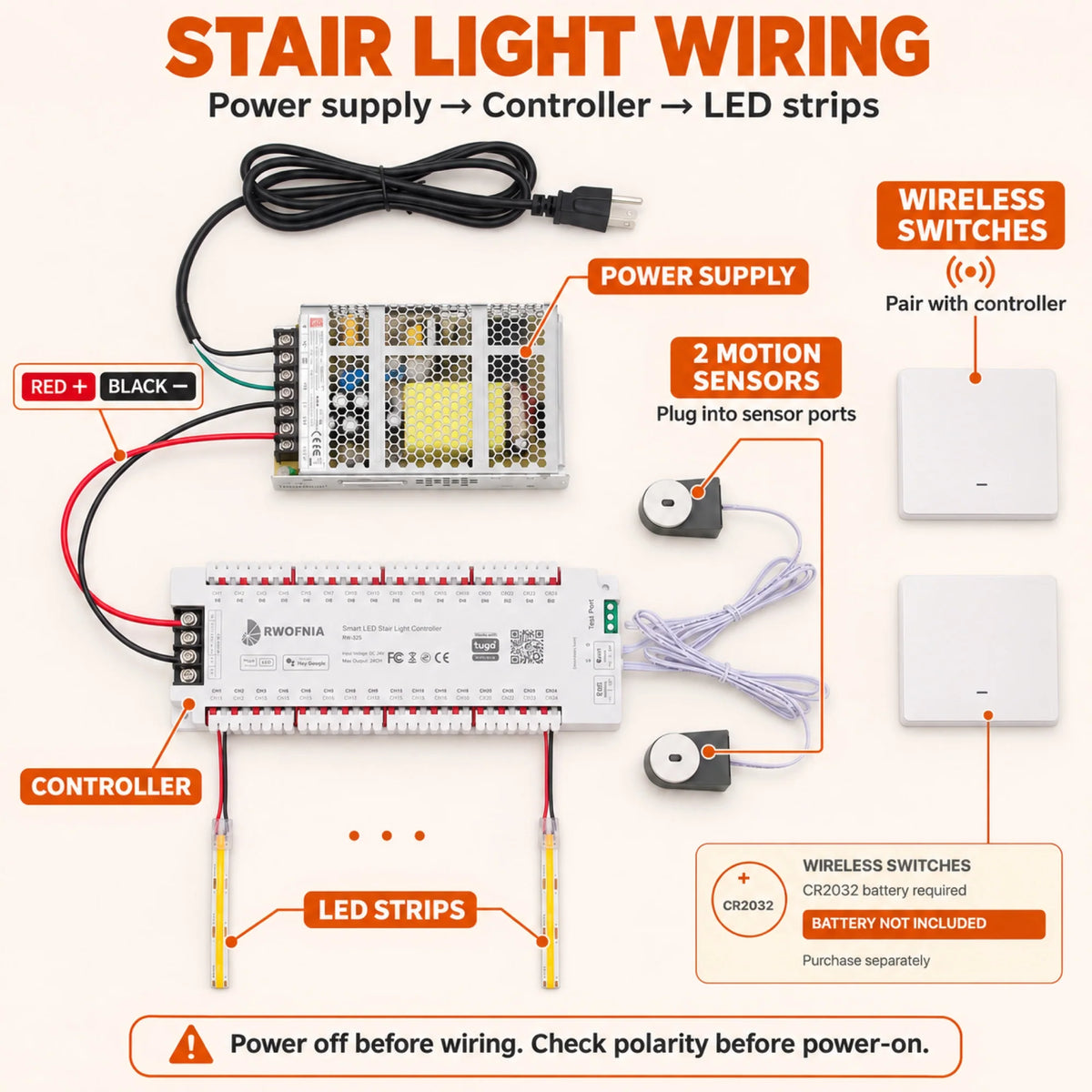
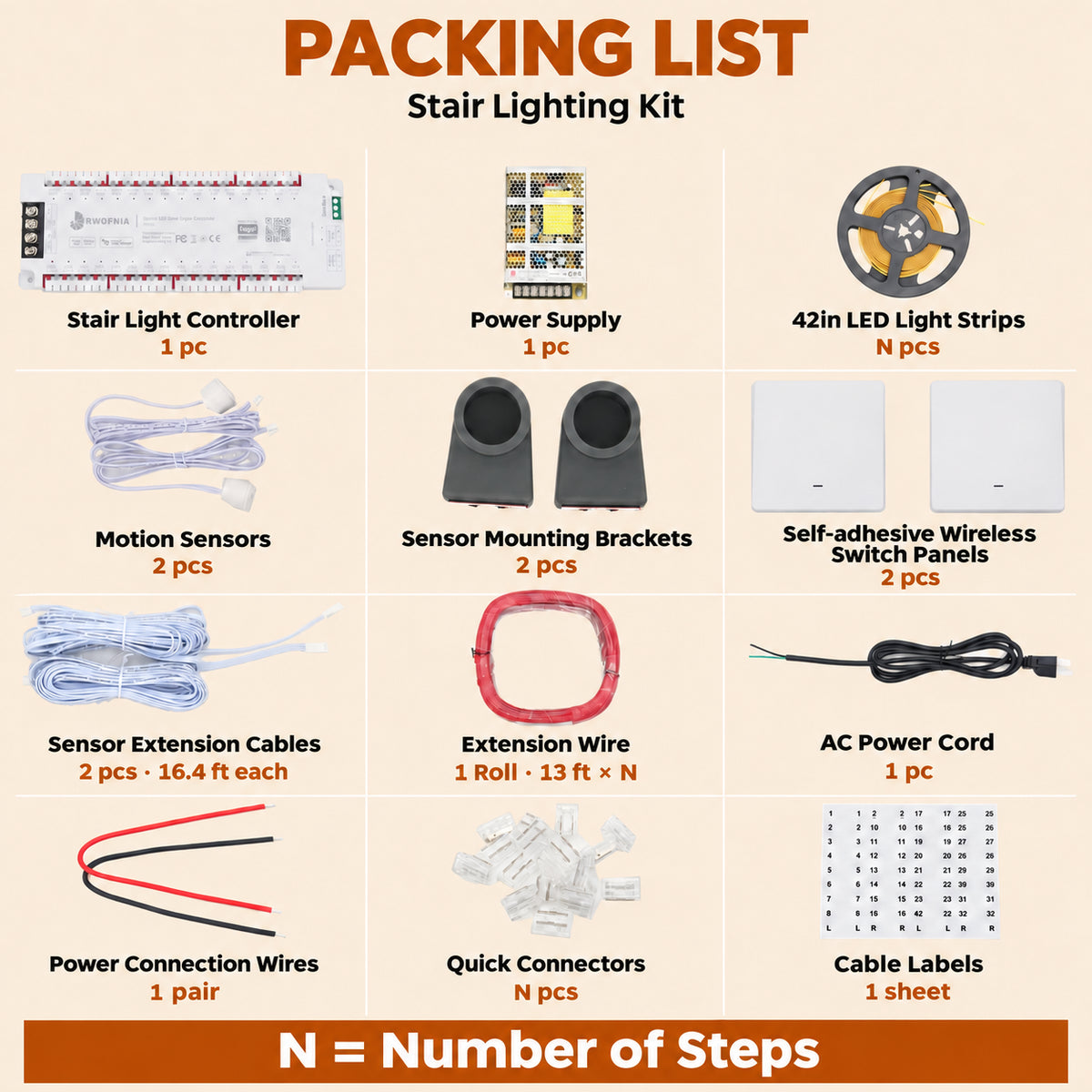
The kit includes the RW-32S controller, a 12V 150W power supply, COB strips for the selected step count, two motion sensors, mounting brackets, two wireless wall switches, two 16.4 ft sensor extension cables and wiring accessories. CR2032 switch batteries are sold separately.
Plan your installation
For indoor use. Plan wiring from each step to the controller and place motion sensors at the top and bottom. Connect the lowest step to LED 01 and continue upward, then set Step Count to match. Test the lights and sensors before mounting. Use a 2.4 GHz Wi-Fi network for Tuya Smart.
FAQs
Everything to know before lighting your stairs.
How do I choose the right kit?
Count the steps you want to illuminate, measure the width of each tread and choose your light temperature. Select the matching step count and strip length above. If your stairs are wider than the selected strip, the light will cover only part of the width.
Can I adjust the brightness and speed?
Yes. Use Tuya Smart to adjust brightness, cascade speed and shutoff delay. You can also set the active step count and schedule when motion sensing is enabled.
Can the lights stay on?
Yes. Switch to Always On for continuous stair lighting. Tap either included wireless wall switch to alternate between Always On and Sensor Mode, or press and hold the switch in Always On to dim the lights.
Can the strips be shortened?
Yes. Select a strip length that covers the area you want to illuminate, then cut only at the marked cutting points. Disconnect power before cutting and test the kit before permanent installation.
Can I use the lights with Wi-Fi or voice control?
Yes. Pair the controller with Tuya Smart on a 2.4 GHz Wi-Fi network. You can also link a compatible Amazon Alexa or Google Assistant device for voice control.